
This was an interesting request. I had previously introduced the APQC framework to this company so they could better define their processes. After adopting it, they wanted to be able to bring the heirachy map into Google Drive, with each level of the framework being represented as a directory. This way, their contributors could add materials to their Shared Drive as they onboarded new clients.
Manually completing this task for a single company would be tedious, but doable. Doing it every time they onboarded a new client would be time consuming and error-prone. The APQC taxonomy is broken into 13 categories with the heirachcy of each category housing 100 or more elements. So, I was asked if to come up with a solution that would be quick and simple to use.
Mark Gonzalez
17th March 2021
There were a number of reasons to automate the import of the APQC framework into Shard Drives on Google.
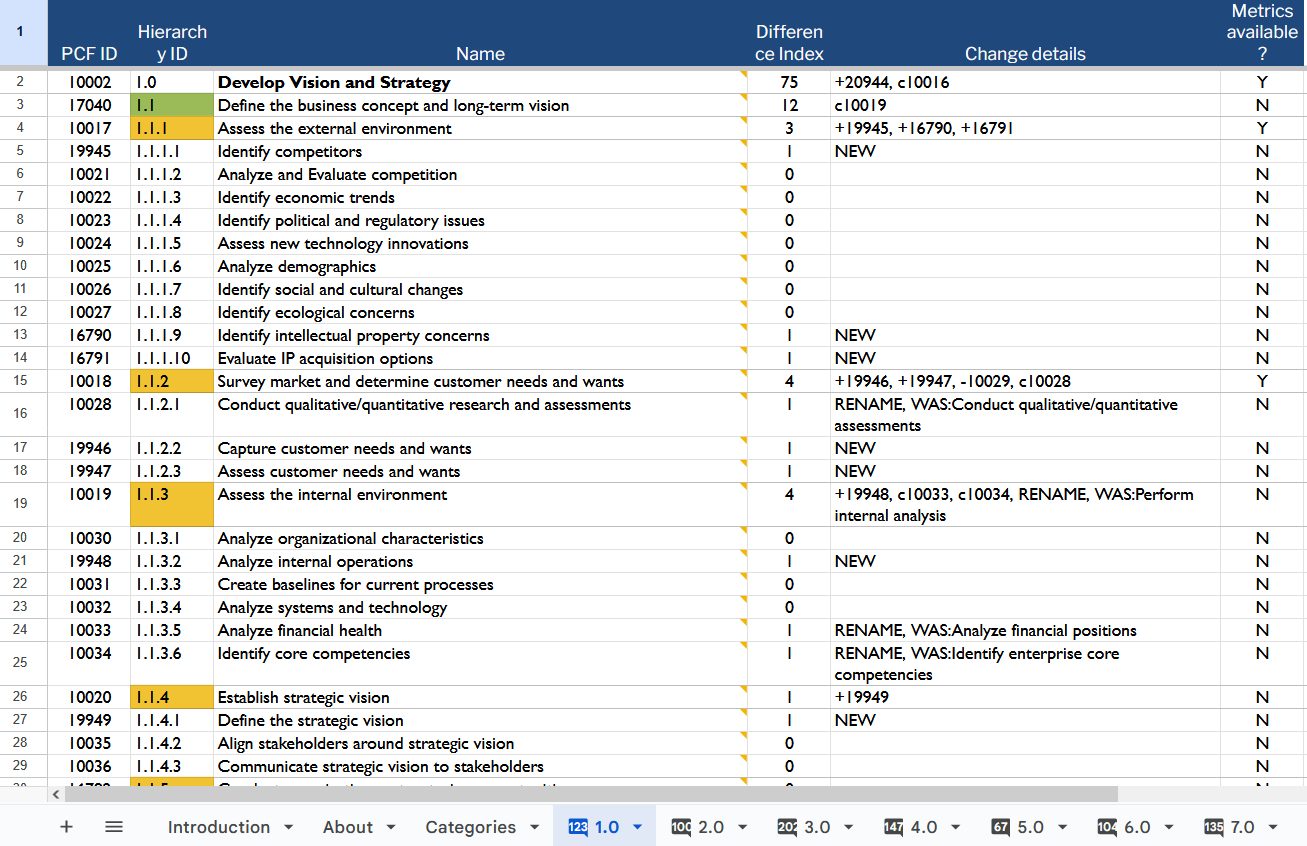
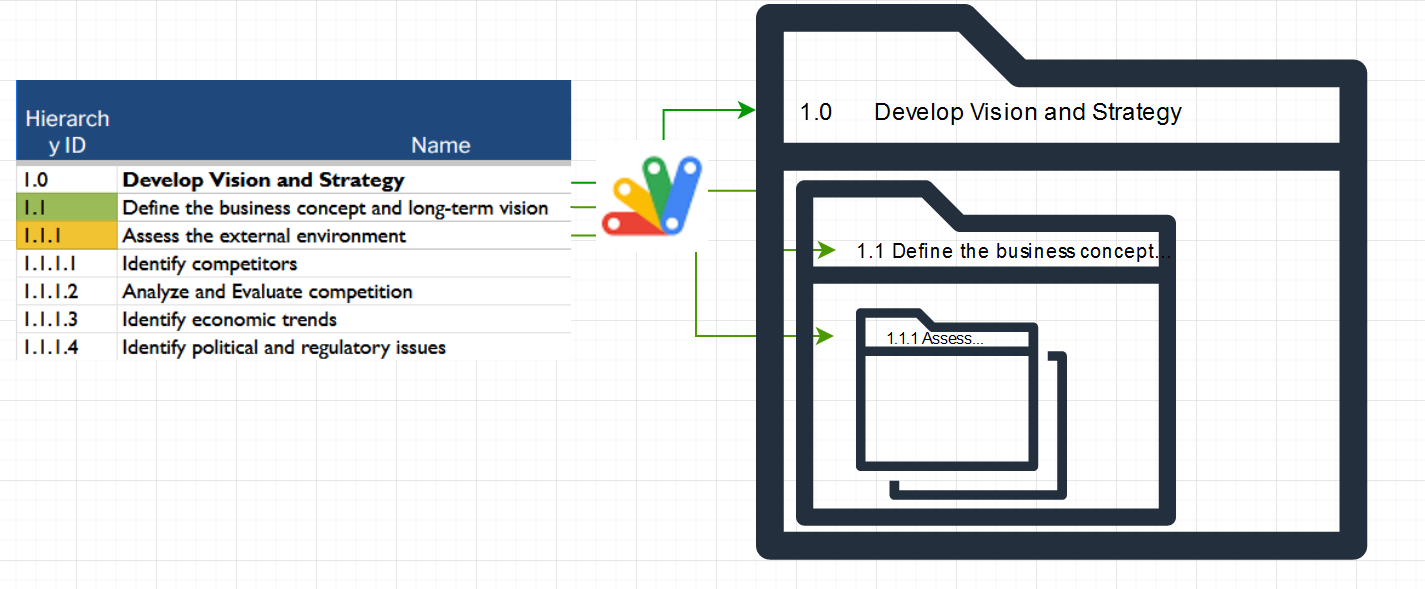
The concept was to make a Script that parsed the data of Sheets and used API calls to Drive. The Hierarchy ID and Name would become the title for each directory. Every Level of the Hierarchy would become a subdirectory in Drive. This way, the flow in documenting processes via directories also mirrors the logical layout of the framework.
// Establish goals
// Take titles, ids from the columns
function getRangeValues(myRange){
  if(!myRange){
    return;
  }
  Logger.log("Range is " + myRange);

  // specify the range of the selection to use in the active sheet
  var range = activeSheet.getRange([myRange]);

  // get the values in the ranges
  var values = range.getValues();

  Logger.log(values);

  return values;
}

// iterate the titles and ids, use id as prefix
function iterateFolderCreation(titles, hierarchyIDs){

  var i = 0;
  // iterate the titles
  titles.forEach(
    // anonymous function : no name
    function (row){

      // combine index and title for new folder name
      //Logger.log(hierarchyIDs[i] + ' ' + row);
      newFolderName = hierarchyIDs[i] + ' ' + row;

      // create the folder
      createNewDriveFolder(newFolderName);
      // increment i
      i++;
    }
  );
  return;
}

// create the new drive folder using newFolderName
function createNewDriveFolder(newFolderName){
  if(!newFolderName){
    return;
  }
  // instantiate this
  var newFolder = DriveApp.createFolder(newFolderName);

  // Set root folder
  rootFolder = setRootFolder(rootFolderID);

  // Put new folder under root folder
  rootFolder.createFolder(newFolder);

  return;
}

// set the rootFolder
function setRootFolder(rootFolderID){
  if(!rootFolderID){
    return;
  }
  // Use the folder Id to set the root folder
  var rootFolder = DriveApp.getFolderById(rootFolderID);
  // return the root folder to the calling function
  return rootFolder;
}

// set activeSheet
var activeSheet = SpreadsheetApp.getActiveSheet();
// the title range
var titleColumnRange = 'C2:C110';
// the hieararchy id range
var hierarchyColumnRange = 'B2:B110';
// set the root folder id
var rootFolderID = 'FOLDER_ID_GOES_HERE';

titles = getRangeValues(titleColumnRange);
hierarchyIDs = getRangeValues(hierarchyColumnRange);
iterateFolderCreation(titles, hierarchyIDs);When the APQC Framework is downloaded from the APQC site, it is a Microsoft Excel workbook. Before using the App Script, it must be converted into a Google Sheet.
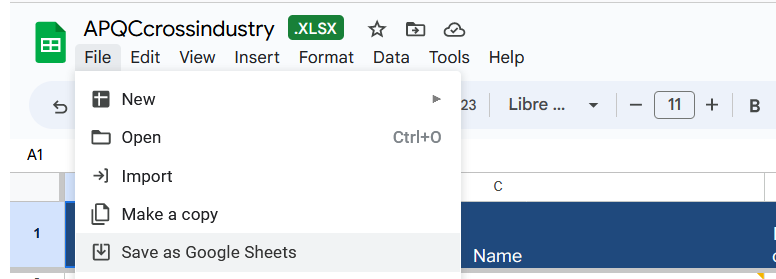
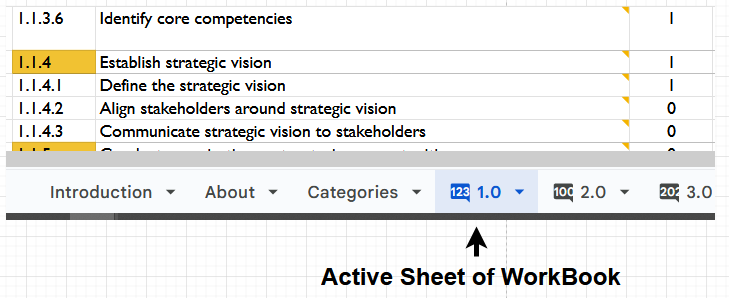
The App Script works on the active sheet, but is available for the entire workbook. Running the script performs the parsing and directory creation based on the category that is currently being viewed.
All folders and Documents in Google have unique IDs that identify them on the file system. To determine where to put the newly created folders, the script must be provided with the ID of an already existing folder.
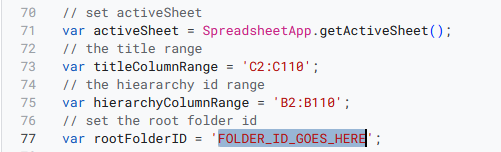
The easiest way to find the directory ID is simply looking at the URL of the browser when the directory is open

Source Code for the App Script is publicly available at my GitHub:
GitHub: https://github.com/mindfullofit/apqc_framework_app_script
APQC Cross Industry framework is available on their company site:
Developer documentation on App Scripts is available on Google:
https://developers.google.com/apps-script
Developer documentation on the Google Drive API is available on Google: