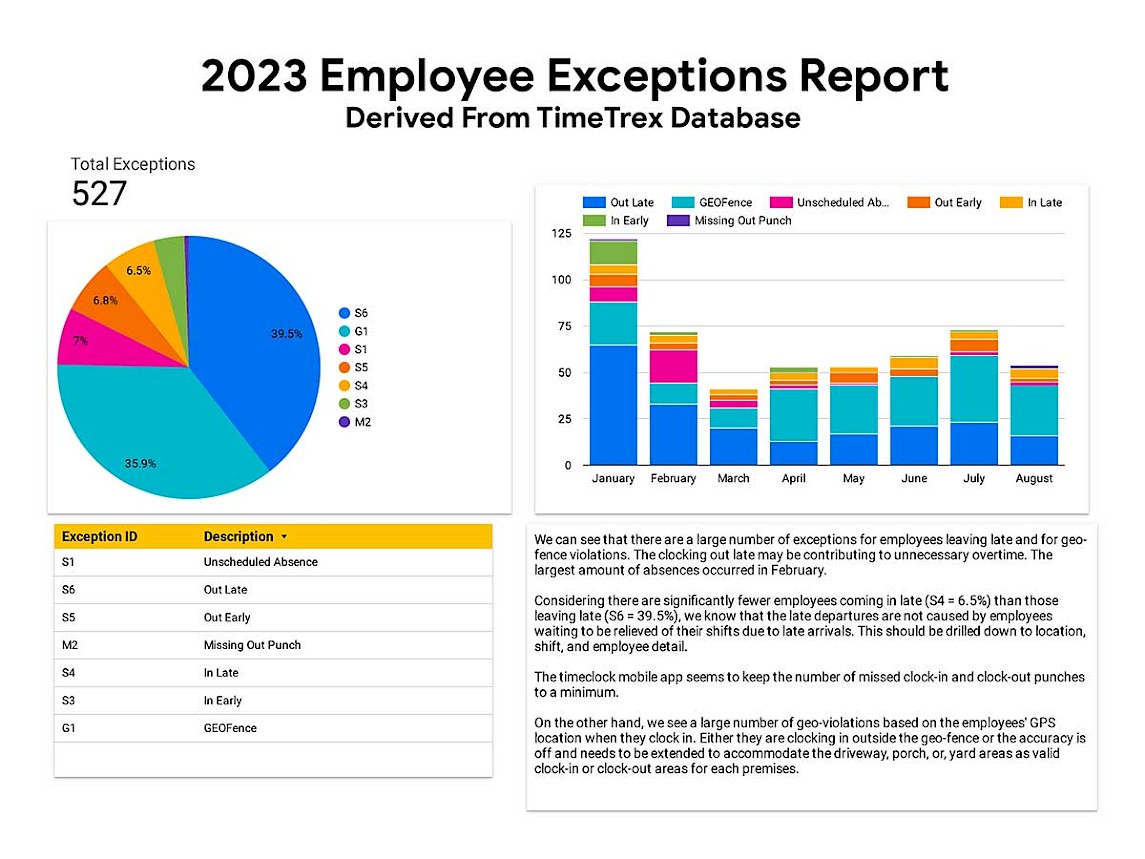
The TimeTrex application has many built in reporting features but nothing out the box for charts specific to itemized metrics. The client wanted to see how the TimeTrex mobile app feature was performing in terms of employee clocking behavior. Also, they wanted to know if they could get any insight to clocking behavior across the months starting since the New Year.
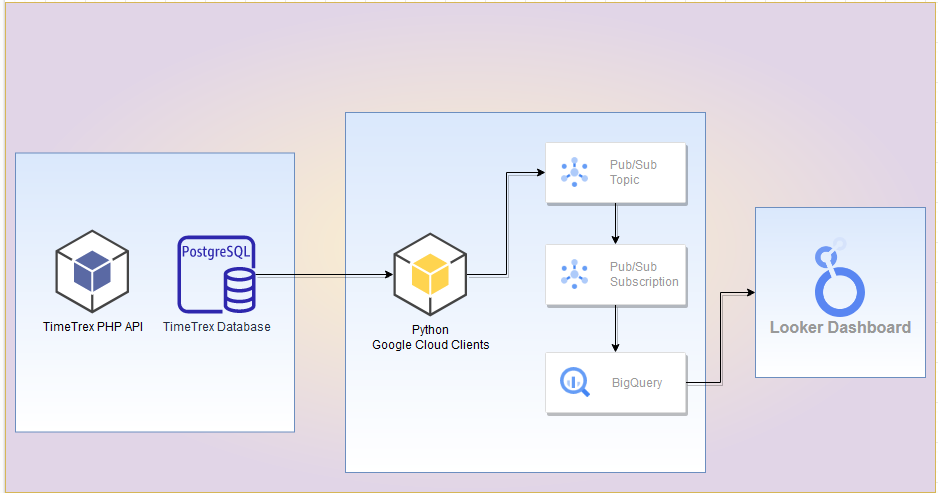
In this post, I go over how to leverage Python's client library integration with Google for Pub/Sub and Cloud Storage. Using Python, I start with extracting data from the PostgreSQL database. Then, I modify the data based on information gained from TimeTrex's PHP API. Afterward, I create a topic and subscription to Pub/Sub that uses a matched schema in BigQuery. Once loaded, I create a simple report that displays the information as an interactive and embedded web element. Let's Go!
First, I explore the PostgreSQL database model to see if the needed fields are available for extraction. Specifically, I look for the data that include the exception codes, the description of the code, and the date the exception occurred. The database schema includes the code IDs and the date but there is nothing for description.
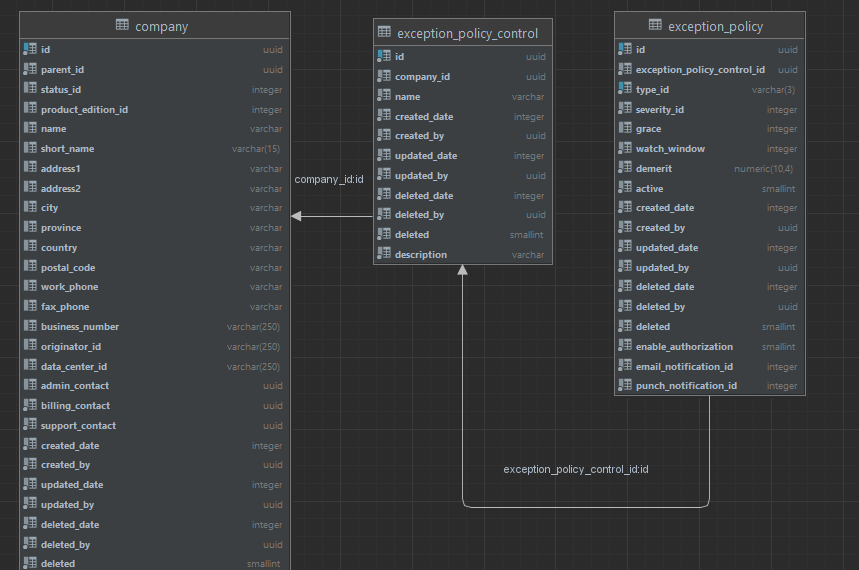
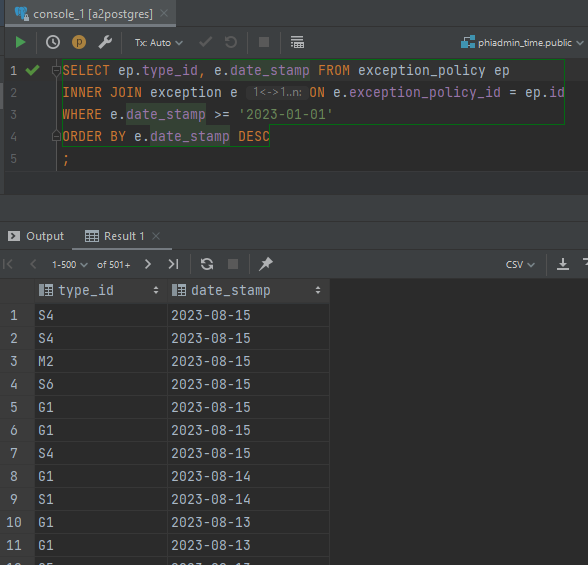
Joining the two tables, the query returns information about exceptions since the start of 2023.
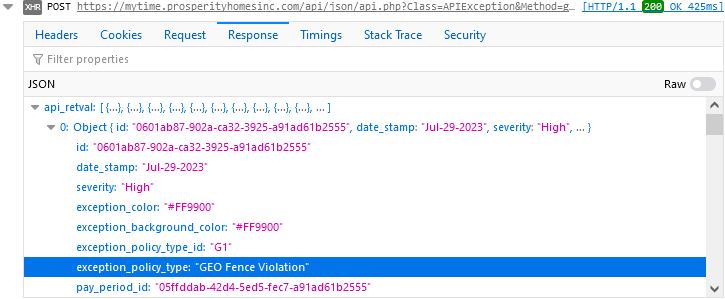
To find the descriptions, I watch the API stack trace via the browser inspector in Chrome and notice the JSON array includes a description in an element called exception_policy_type.
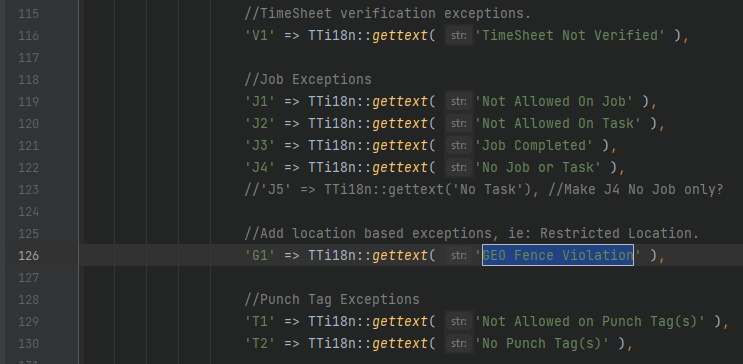
Pulling up the API source code, I find that the descriptions are stored in a PHP case statement. I used this information to build a list in Python with the same values.
Using the psycopg2 package, I connect to the PostgreSQL database. I execute the same query as I did in DataGrip and save the records.

statement = "SELECT to_char(e.date_stamp, 'YYYY-MM-DD'), ep.type_id FROM exception_policy ep " \
                "INNER JOIN exception e ON e.exception_policy_id = ep.id " \
                "WHERE e.date_stamp >= '2023-01-01' " \
                "ORDER BY e.date_stamp DESC "
    rows = connect(statement)
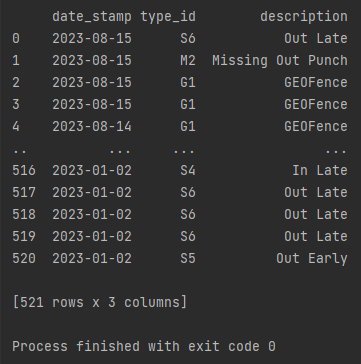
To transform the data to a new schema, I used the Pandas package and stored the database records into a dataframe. Then I mapped the list of code descriptions to a new column series called description. I keep the field names to make mapping them in BigQuery more straightforward.
statement = "SELECT to_char(e.date_stamp, 'YYYY-MM-DD'), ep.type_id FROM exception_policy ep " \
                "INNER JOIN exception e ON e.exception_policy_id = ep.id " \
                "WHERE e.date_stamp >= '2023-01-01' " \
                "ORDER BY e.date_stamp DESC "
    rows = connect(statement)
    df = pd.DataFrame(rows, columns=["date_stamp", "type_id"])

    #Map the codes returned from database to that of the code list and make new column
    df['description'] = df['type_id'].map(listOfCodes)
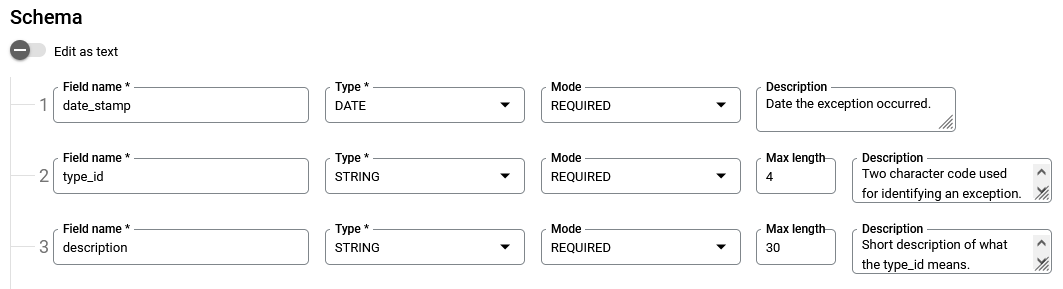
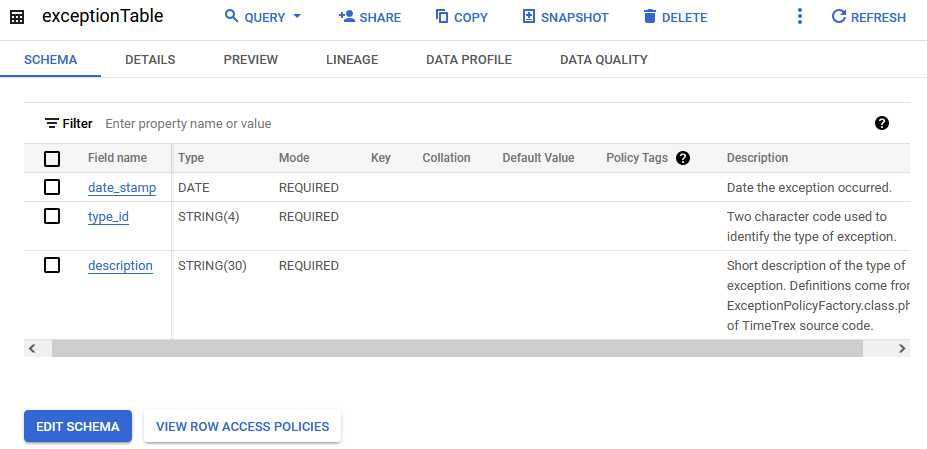
Next, I create the BigQuery schema to match that of the list of Python dictionaries created from the data extract and transformation.
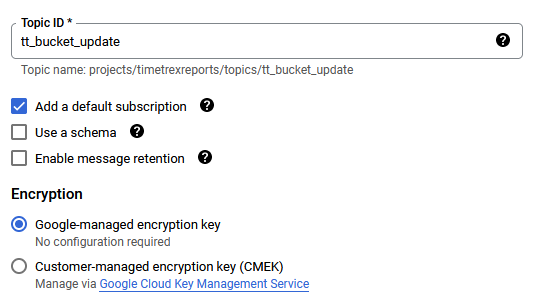
Now I create the topic in Pub/Sub that Python will send messages to once it gets the data ready after transforming it.
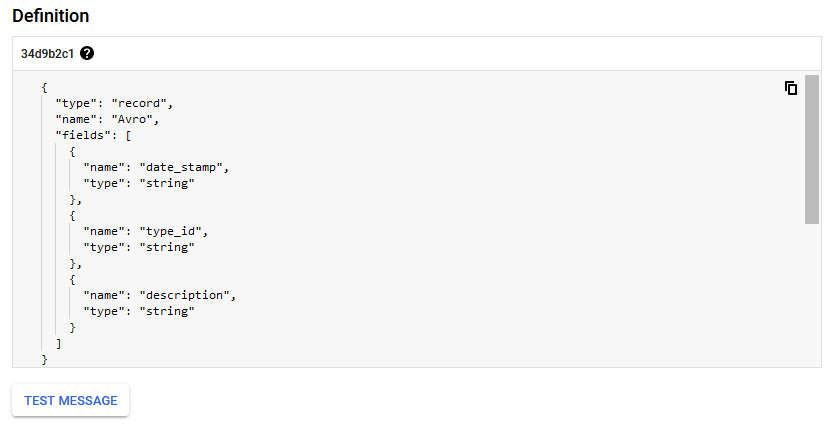
The BigQuery table is ready, and the topic has been created. I change the default subscription to push to BigQuery via its setting in the Google console.
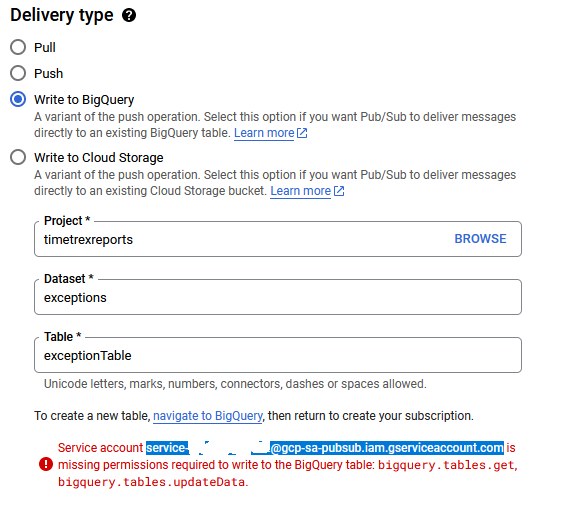
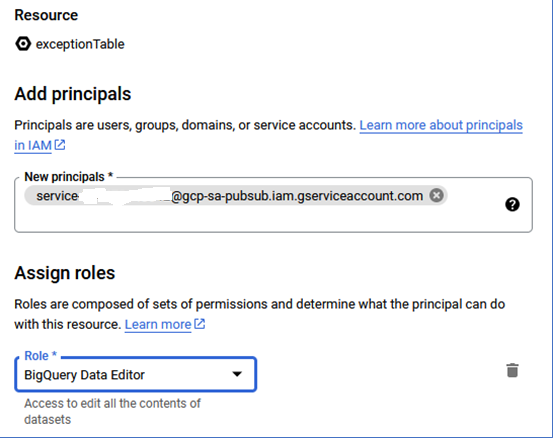
Since this is being called from Pub/Sub, the service account needs to be authorized to handle creating data in the BigQuery table.
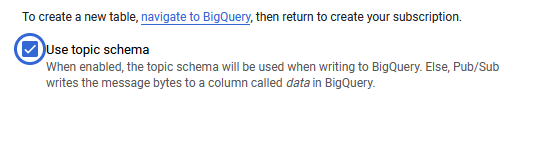
I make sure to use the topic schema I created earlier.
The dictionaries in the list created from the dataframe will need to be sent as messages to the topic created in Pub/Sub. A Python script can be used to send those messages asynchronously using the Google client library.
"""Publishes multiple messages to a Pub/Sub topic for BigQuery push"""
import json
from concurrent import futures
from google.cloud import pubsub_v1
from typing import Callable

project_id = "timetrexreports"
topic_id = "tt_bucket_update"

publisher = pubsub_v1.PublisherClient()
topic_path = publisher.topic_path(project_id, topic_id)
publish_futures = []

def get_callback(
    publish_future: pubsub_v1.publisher.futures.Future, data: str
) -> Callable[[pubsub_v1.publisher.futures.Future], None]:
    def callback(publish_future: pubsub_v1.publisher.futures.Future) -> None:
        try:
            # Wait 60 seconds for the publish call to succeed.
            print(publish_future.result(timeout=60))
        except futures.TimeoutError:
            print(f"Publishing {data} timed out.")

    return callback

def iterate_messages(messages):
    for message in messages:
        bytes_json_data = str.encode(json.dumps(message))
        # When you publish a message, the client returns a future.
        publish_future = publisher.publish(topic_path, bytes_json_data)
        # Non-blocking. Publish failures are handled in the callback function.
        publish_future.add_done_callback(get_callback(publish_future, bytes_json_data))
        publish_futures.append(publish_future)

    # Wait for all the publish futures to resolve before exiting.
    futures.wait(publish_futures, return_when=futures.ALL_COMPLETED)

    print(f"Published messages to {topic_path}.")
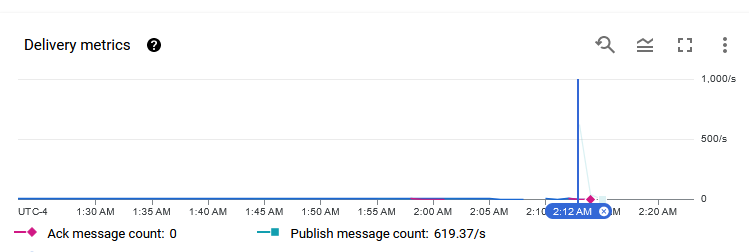
A test run shows that the messages are being pushed to the Pub/Sub topic and that the subscription is pushing data to BigQuery.
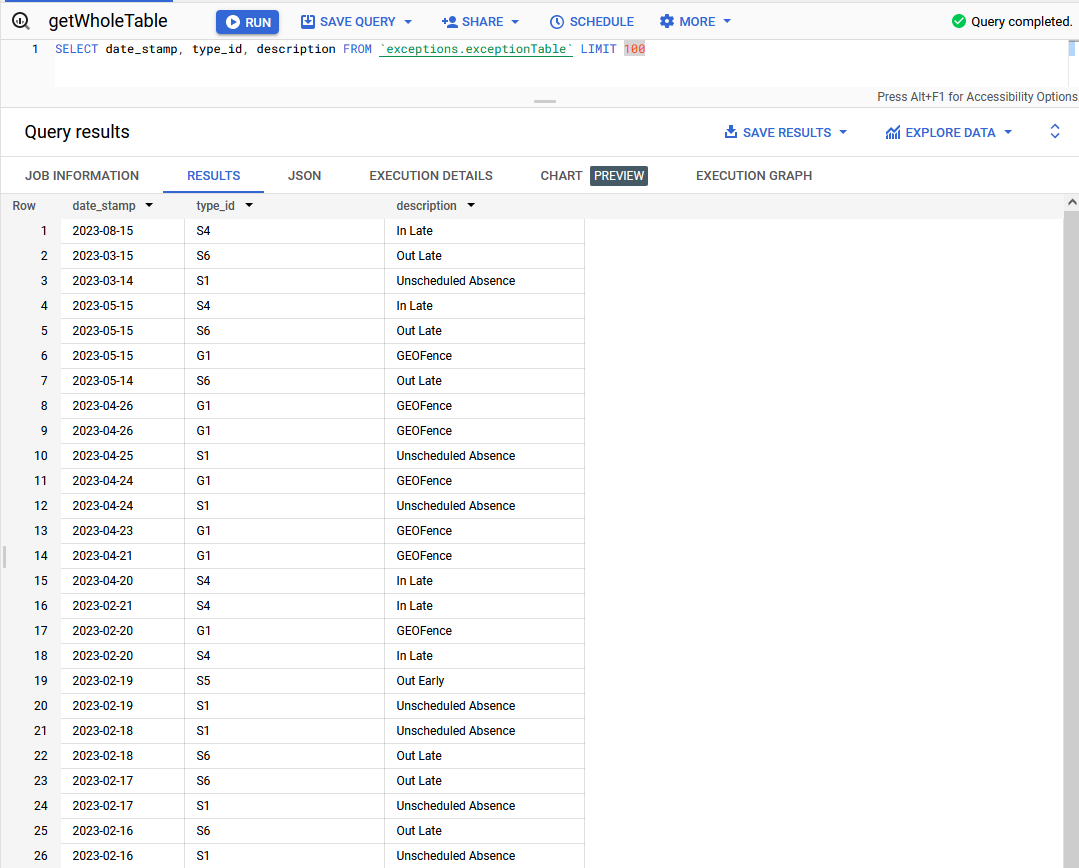
After the full push, the metrics indicate that Pub/Sub can easily handle over 600 messages per second.